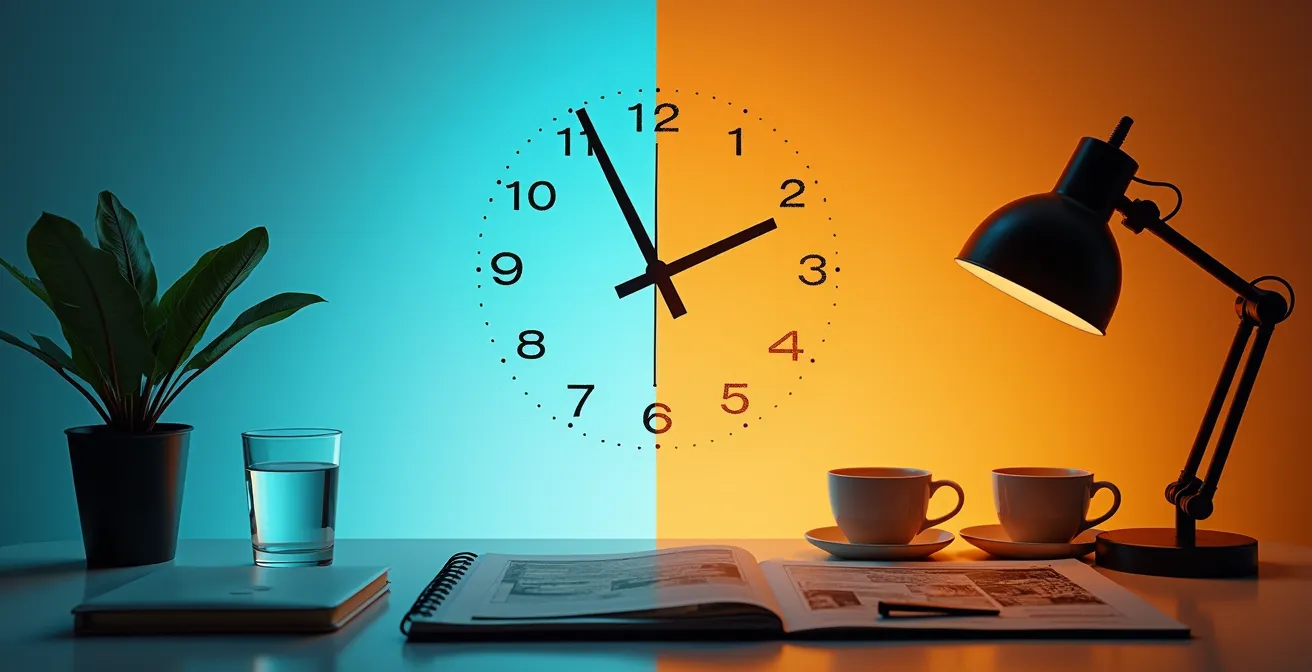
The biggest lie of productivity is that you need to manage your time. The truth is, you need to manage your cognitive energy.
- Every choice, big or small, depletes a finite mental battery, leading to poor decisions and burnout.
- “Hustle culture” habits like constant app-switching and after-hours work actively sabotage your cognitive performance.
Recommendation: Stop trying to do more. Instead, build systems to make fewer, better decisions. That is the real key to reclaiming your focus and your time.
You look at your calendar, packed with back-to-back meetings. Your to-do list is a mile long. You feel incredibly busy, yet at the end of the day, the most important tasks remain untouched. The common advice is to manage your time better, use a new app, or simply “be more disciplined.” We’re told to optimize every minute, from what we eat for breakfast to how we organize our digital files.
But this advice misses the fundamental point. The problem isn’t a lack of time; it’s a deficit of high-quality mental energy. Every single decision you make—from choosing an outfit to approving a budget—draws from the same limited well of cognitive resources. This phenomenon, known as decision fatigue, is the invisible force making you less effective, more impulsive, and prone to burnout. The constant demand to “hustle” and be “always on” isn’t a badge of honor; it’s a recipe for cognitive bankruptcy.
But what if the real key to unlocking productivity wasn’t about cramming more into your day, but about strategically preserving your mental fuel? This article reframes the entire productivity conversation. We’re not going to talk about managing your schedule; we’re going to talk about managing your cognitive energy budget. It’s a data-driven approach to decision-making that focuses on conservation, not exertion.
We’ll explore the science behind why your willpower fails in the evening, dissect the systems that separate busy people from productive ones, and provide actionable frameworks to automate low-value choices. Prepare to stop counting the hours and start making your hours count.
Summary: Your Blueprint for Mastering Cognitive Energy
- Why Do You Make Poor Choices After 6 PM?
- How to Apply the 2-Minute Rule to Keep Your Inbox Zero?
- Digital Planner or Bullet Journal: Which Suits a Chaotic Schedule?
- The “Hustle Culture” Advice That leads 70% of Entrepreneurs to Burnout
- Optimizing Your Morning: 3 Tweaks for Peak Cognitive Performance
- Why You Should Never Sign Contracts After a Sleepless Night
- How to Say “No” to After-Hours Slack Messages Without Looking Lazy?
- How to Automate 30% of Your Business Tasks Using AI Tools?
Why Do You Make Poor Choices After 6 PM?
The feeling is familiar: after a long day of focused work, you find yourself mindlessly scrolling, ordering unhealthy takeout, or agreeing to a commitment you’ll later regret. This isn’t a failure of character; it’s a predictable biological process. Your brain runs on glucose, and the mental energy required for self-control and complex decision-making—your willpower—is a finite resource that gets depleted with every choice you make.
This phenomenon is called decision fatigue. The more decisions you make, the more your brain seeks shortcuts. These shortcuts often manifest as impulsive actions (taking the easier, instantly gratifying option) or decision avoidance (sticking with the default, even if it’s suboptimal). Your cognitive tank is simply running on empty, making you susceptible to poor judgment.
The evidence is stark. A groundbreaking study on judicial decision-making found that approval rates for parole drop from around 65% at the start of a session to nearly zero right before a judge takes a food break. The judges weren’t becoming harsher; their mental energy was just depleted. This directly explains why your resolve to hit the gym or cook a healthy meal evaporates by evening. As Stanford researcher Jonathan Levav points out, this cognitive drain is powerful:
Decision fatigue helps explain why ordinarily sensible people…can’t resist the dealer’s offer to rustproof their new car.
– Jonathan Levav, Stanford University Research on Decision Fatigue
To combat this, you must treat your decision-making capacity like a muscle that fatigues. The goal is to conserve energy by making your most important decisions early in the day and automating or simplifying the rest. It’s not about trying harder in the evening; it’s about structuring your day so you don’t have to.
How to Apply the 2-Minute Rule to Keep Your Inbox Zero?
The promise of “inbox zero” often feels like a cruel joke for busy professionals. The 2-Minute Rule, popularized by David Allen, is a well-known tactic: if a task takes less than two minutes, do it immediately. However, applied thoughtlessly, this rule can turn you into a reactive, notification-driven worker, constantly interrupting your flow. The secret to making it work is to embed it within a larger, more intentional email processing system.
Instead of applying the rule randomly throughout the day, you must batch your email into specific, scheduled blocks. During these “micro-task blocks,” you touch each email only once and make a rapid decision: delete, delegate, defer (schedule it as a task), or do it if it takes less than two minutes. This transforms the 2-Minute Rule from a potential distraction into a powerful triage tool used only at designated times. The goal is not just to be fast, but to be decisive and systematic.
This approach protects your most valuable asset: uninterrupted blocks of deep work. You are no longer at the mercy of incoming requests. You are the one in control, processing communication on your own terms and schedule. Implementing automated filters to pre-sort emails into folders like “Urgent,” “Requires Action,” and “Reading” further reduces the cognitive load of each processing session.

This visual representation shows how a systematic workflow, with categorized tasks and dedicated time blocks, brings order to the chaos of an inbox. It’s not about working faster, but about creating a structure that eliminates the need for constant, energy-draining decisions about “what to do next” with each new email.
Digital Planner or Bullet Journal: Which Suits a Chaotic Schedule?
In the quest to tame a chaotic schedule, professionals often get stuck debating the tools: a sleek digital planner with automated reminders or an infinitely flexible analog bullet journal. The debate is misplaced. The best system isn’t about the tool itself, but about aligning the tool with your cognitive style. Are you an “Architect,” who thrives on pre-built systems and structure, or a “Gardener,” who needs to cultivate plans organically?
Digital planners (like Todoist, Asana, or Google Calendar) are for the Architects. They excel at handling complexity through templates, automated reminders, and integrations. The upfront investment in setting up the system is high, but the daily maintenance is low. This is ideal for managing recurring tasks and long-term projects where consistency is key. For a chaotic schedule, they offer a rigid structure to cling to.
Bullet journals are for the Gardeners. They are for creative thinkers and those whose priorities shift daily. With zero upfront structure, a bullet journal offers ultimate flexibility. Its power lies in the daily ritual of writing down tasks, which forces a mindful moment of prioritization. It handles chaos by allowing for immediate, manual processing and adaptation. The setup is instant, but the maintenance is a daily habit.
The following table breaks down the core differences based on this cognitive style framework:
| Aspect | Digital Planner (Architect Style) | Bullet Journal (Gardener Style) | Hybrid System |
|---|---|---|---|
| Setup Time | High initial learning curve | Low entry, ongoing refinement | Moderate both phases |
| Maintenance | Automated reminders | Daily habit required | Weekly sync sessions |
| Flexibility | Template-based structure | Completely customizable | Best of both worlds |
| Best For | Tech-savvy systematizers | Creative processors | Complex workflows |
| Chaos Handling | Quick capture, slow process | Immediate processing | Tiered approach |
Case Study: The Hybrid Approach for Maximum Efficiency
Many high-performers don’t choose one or the other; they build a hybrid system. Productivity expert Ali Abdaal combines Google Calendar for rigid time-blocking (the Architect) with a physical notebook for setting daily intentions (the Gardener). This allows him to manage over 100 tasks weekly by using digital tools for long-term project management and analog tools for daily focus, proving that the most effective system is often a personalized blend of both worlds.
The ‘Hustle Culture’ Advice That leads 70% of Entrepreneurs to Burnout
Hustle culture glorifies being “always on”—multitasking across a dozen apps, answering emails at 10 PM, and optimizing every spare second. This approach is not only unsustainable, it is fundamentally counter-productive. It creates a state of continuous context switching, a term for the mental cost of shifting your attention from one task to another. Each switch, no matter how small, depletes your cognitive energy and murders your focus.
The data is damning. Research shows the average knowledge worker toggles between apps 1,200 times daily, losing up to 4 hours per week just in the time it takes to reorient. This isn’t productive; it’s a state of managed distraction. This constant drain is a direct path to decision fatigue and, ultimately, burnout. When your cognitive resources are perpetually exhausted, your ability to perform high-level strategic thinking collapses, and you become prone to critical errors in judgment, both professionally and personally.
Case Study: Executive Decision Fatigue in Action
Research by Baumeister and Tierney documented how the “optimize everything” mindset directly leads to failure. Their study on executive decision-making found a pattern where high-level leaders, after a full day of exhaustive choices, were particularly vulnerable to making terrible decisions in the evening. As the research noted, “C.F.O.s [are] prone to disastrous dalliances late in the evening” after a day of intense decision-making, a stark example of how cognitive depletion from “hustling” leads to significant personal and professional lapses.
The antidote to hustle culture is not laziness, but intentional focus. This means scheduling long, uninterrupted blocks for deep work, ruthlessly silencing notifications, and establishing firm boundaries between work and rest. True productivity isn’t about the volume of tasks completed, but the quality and impact of the work accomplished. By trading the illusion of multitasking for the power of monotasking, you preserve the mental energy needed for the breakthrough ideas that actually move the needle.
Optimizing Your Morning: 3 Tweaks for Peak Cognitive Performance
Your morning is the most critical period for shaping your entire day’s productivity. With a full tank of cognitive energy, you have the highest potential for focus, creativity, and disciplined decision-making. However, most professionals squander this advantage by immediately diving into a sea of distractions like email, social media, or news feeds. This reactive behavior immediately puts you on the defensive, letting other people’s agendas dictate your day.
To seize control, you must treat your first working hour as sacred. It’s a time for creation before consumption. This means dedicating your peak mental state to your most important, high-value output—be it writing a strategic document, coding a difficult feature, or planning a major project. This simple shift from reactive consumption to proactive creation ensures that your best energy goes toward your own priorities, not someone else’s.

An optimized morning isn’t about a frantic rush, but a calm, intentional focus. It’s about creating an environment that protects your cognitive state, allowing you to direct your full mental capacity toward what truly matters. By pre-planning your priorities the night before, you eliminate the energy-draining “what should I work on now?” decision, allowing you to start the day with momentum and clarity.
Your Action Plan: The Morning Optimization Protocol
- Schedule creation before consumption: Dedicate the first 60 minutes of your workday to your most important task, before checking any email or news.
- Implement the One Defining Question: Start your day by asking, “What’s the ONE thing I can do such that by doing it, everything else will be easier or unnecessary?” Make that your priority.
- Use schedule-based decisions: Pre-assign themes to certain days (e.g., Monday is for writing, Wednesday is for client meetings) to eliminate a whole category of daily planning decisions.
- Feed your brain strategically: Consume a protein-rich breakfast to maintain stable glucose levels, which are critical for sustained focus and high-quality morning decisions.
- Create a “shutdown ritual”: End each workday by creating a clear plan for the next morning. This saves immense mental energy when you start the day.
Why You Should Never Sign Contracts After a Sleepless Night
Making a high-stakes decision, like signing a contract, is one of the most cognitively demanding tasks you can perform. It requires careful analysis, risk assessment, and the ability to foresee long-term consequences. Attempting to do this on a sleep-deprived brain is not just unwise; it is a recipe for disaster. Sleep is not a luxury; it is a critical biological process for restoring the very cognitive functions essential for sound judgment.
When you are sleep-deprived, your prefrontal cortex—the part of your brain responsible for executive functions like impulse control, emotional regulation, and logical reasoning—operates at a significant deficit. You become more susceptible to cognitive biases, less able to weigh pros and cons accurately, and more likely to give in to short-term pressures or overly optimistic assumptions. Your ability to read complex information and spot subtle red flags in a legal document is severely compromised.
This isn’t just a feeling of being “groggy.” It’s a measurable neurological impairment. As Cleveland Clinic research demonstrates, sleep-deprived individuals show impaired impulse control and a decline in moral judgment. In a negotiation or contract review, this can translate into overlooking a critical clause, agreeing to unfavorable terms, or failing to advocate for your own interests. You are essentially negotiating with a compromised brain.
The rule is simple and non-negotiable: never make a significant, binding decision after a night of poor sleep. Postpone the signing, reschedule the meeting, and protect yourself from your own cognitively impaired state. A single day’s delay is an insignificant price to pay to avoid a multi-year mistake. Your future self will thank you for having the discipline to wait until your brain is fully back online.
How to Say “No” to After-Hours Slack Messages Without Looking Lazy?
In a hyper-connected workplace, the after-hours Slack message is a common source of stress. It creates a “damned if you do, damned if you don’t” dilemma. If you respond, you signal that you’re always available, setting a precedent for future interruptions. If you ignore it, you worry about appearing uncommitted or lazy. The solution isn’t to work more or to ignore colleagues, but to proactively manage expectations through clear communication and established boundaries.
The key is to reframe boundary-setting not as a refusal to work, but as a commitment to high-quality work. A simple, professional response like, “Thanks for sending this over. To give it the proper attention it deserves, I’ll review it first thing in the morning when I’m back at my desk,” accomplishes three things: it acknowledges the request, it reinforces your professionalism, and it subtly teaches your colleagues about your working hours without a confrontational lecture.
This approach is supported by a wealth of research on cognitive performance. As Dr. Lisa MacLean, a psychiatrist specializing in burnout, states:
Research shows that the best time to make decisions is in the morning. We tend to be more cautious and meticulous, while evening decisions may be more impulsive.
– Dr. Lisa MacLean, American Medical Association
By deferring a response, you are not just protecting your personal time; you are protecting the quality of your decision-making. To make this easier, you can implement a system. Create automated status messages in Slack that communicate your deep work blocks or offline hours. Internally, use a simple triage matrix: is the sender your direct superior? Is the issue a true emergency (e.g., a server is down) or can it wait until tomorrow? This reduces the in-the-moment decision anxiety and replaces it with a clear protocol.
Key Takeaways
- Your brain has a finite “decision budget” that depletes throughout the day. Protect it.
- Systematize routine tasks (like email) and pre-plan your days to eliminate low-value choices.
- Set firm boundaries around your work hours to prevent cognitive burnout and preserve decision quality.
How to Automate 30% of Your Business Tasks Using AI Tools?
The ultimate strategy for conserving cognitive energy is to eliminate decisions altogether through automation. Artificial intelligence (AI) is no longer a futuristic concept; it’s a practical toolkit for offloading the repetitive, low-value tasks that drain your mental battery. The goal isn’t to replace human thinking, but to augment it—a concept known as “centaur intelligence,” where humans and AI work together, each focusing on their strengths.
You should focus AI automation on tasks that are rule-based, data-intensive, and recurring. This includes things like data entry, generating standard reports, and initial email triage. By creating automated workflows with tools like Zapier or using AI-powered email assistants, you can remove dozens or even hundreds of micro-decisions from your plate each week, freeing up your cognitive resources for strategic, creative, and complex problem-solving—the work that only a human can do.
Case Study: AI for Decision Triage
One company implementing AI-powered workflow tools found it reduced the time spent on decision-making by a staggering 60%. The AI system didn’t make the final call; instead, it performed an initial triage, automatically categorizing incoming requests as “High Priority” or “Needs Human Review.” This allowed the human team to focus their strategic thinking on the critical 20% of decisions that truly required their judgment, while the AI handled the routine 80%.
To identify the best candidates for automation in your own work, assess your tasks based on their automation potential and the potential time savings. The framework below provides a starting point for your analysis:
| Task Category | Automation Potential | AI Tool Example | Time Saved Weekly |
|---|---|---|---|
| Data Entry & Processing | High (80-90%) | Zapier, RPA Tools | 5-8 hours |
| Email Triage & Response | Medium (50-60%) | AI Email Assistants | 3-4 hours |
| Report Generation | High (70-80%) | Automated Analytics | 4-6 hours |
| Content Creation | Medium (40-50%) | AI Writing Tools | 2-3 hours |
| Decision Support | Medium (30-40%) | Predictive Analytics | 2-3 hours |
To put these principles into action, the next logical step is to audit your own daily routines and identify the biggest drains on your cognitive energy. Start by automating one repetitive task this week.