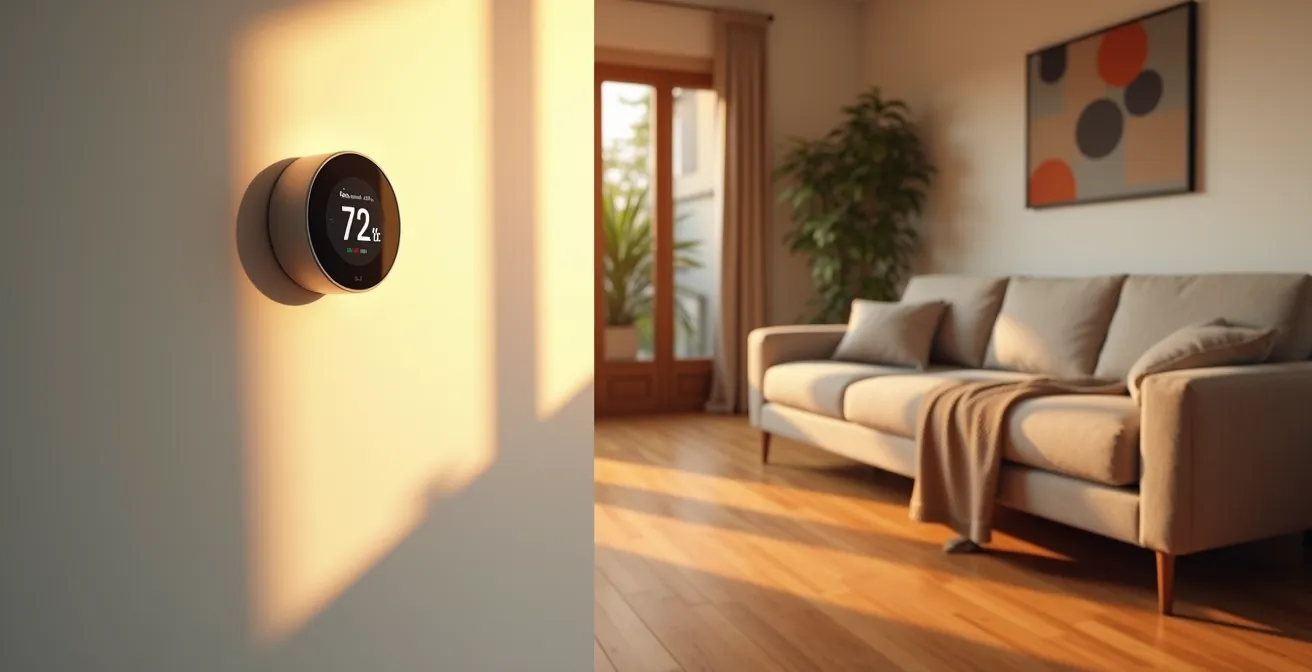
The key to significantly cutting your heating bill isn’t just buying smart devices, but integrating them into a single, intelligent ecosystem that actively hunts for waste.
- Focus on eliminating “phantom power” loads, which can account for up to 10% of your energy use.
- Use integrated sensors for predictive maintenance, not just automation, to prevent costly HVAC failures.
Recommendation: Start with a simple energy audit to identify your home’s biggest “energy vampires” before investing in any hardware.
As energy costs continue to climb, the promise of a “smart home” saving you money is more appealing than ever. You’ve likely heard the standard advice: get a smart thermostat, use a few smart plugs. While these are good starting points, they often fail to deliver the promised savings because they are treated as isolated gadgets rather than components of a larger system. This piecemeal approach is like trying to build a high-performance car by buying a good engine and hoping for the best, while ignoring the transmission and aerodynamics.
From a green tech engineer’s perspective, true efficiency and cost-cutting don’t come from individual devices; they come from creating an integrated home energy ecosystem. This means your devices talk to each other, make decisions based on real-time data, and work together to eliminate waste at every level. The real power isn’t in turning a light off with your voice—it’s in a system that automatically lowers the heat because a smart lock told it you left, or a sensor that warns you of an impending furnace failure, saving you thousands.
This guide moves beyond the basics. We’ll deconstruct the engineering principles behind a truly efficient smart home, showing you how to hunt down hidden energy costs, choose the right central “brain” for your system, and leverage data to not only reduce your bills but also make your home more reliable and comfortable. We will explore how to build this system step-by-step, transforming your home from a passive energy consumer into an active, intelligent efficiency machine.
This article will guide you through the essential components of building a cost-saving smart home ecosystem. The following table of contents outlines the key areas we will cover, from tackling hidden energy waste to using advanced sensors for preventative maintenance.
Summary: How to Reduce Your Heating Bill by 20% Using Smart Home Tech?
- Why Phantom Power Loads Are Costing You Money While You Sleep
- How to Install a Smart Thermostat Without Hiring an Electrician?
- Google Home or Amazon Alexa: Which Is Better for Energy Management?
- The Smart Lock Vulnerability That Hackers Love to Exploit
- Optimizing Your Lights: Setting Scenes to Match Natural Circadian Rhythms
- VPN or Proxy: Which Do You Need for Safe Public Wi-Fi?
- Off-Peak Scheduling: How to Save 30% on Your Electric Bill?
- How to Prevent Equipment Failure Using IoT Sensors?
Why Phantom Power Loads Are Costing You Money While You Sleep
Before you even think about your furnace, the first place an engineer looks for savings is inefficiency. In your home, the biggest culprit is “phantom load” or “vampire power.” This is the electricity consumed by devices that are turned off but still plugged in and in standby mode. Your TV, your coffee maker, your phone chargers—they are all quietly draining power 24/7. While each one seems insignificant, their collective cost is staggering. According to the U.S. Department of Energy, this standby power can account for 5% to 10% of residential energy use. For the average household, that’s like paying for a full month of electricity you never actually used.
This waste isn’t just a drain on your wallet; it has a significant environmental impact. Studies have shown that phantom loads are responsible for a massive amount of unnecessary carbon emissions globally. The solution is to actively hunt these energy vampires. The most effective weapons in this hunt are smart plugs and power strips. By grouping devices (like your entire entertainment center) onto a single smart power strip, you can create a rule to cut all power to them with a single command or on a schedule, for example, from midnight to 6 AM.
Start by identifying your worst offenders. Devices with remote controls, continuous digital displays, or external power adapters are prime suspects. A simple “walk-around” audit can reveal dozens of these silent consumers. By strategically deploying smart plugs, you can eliminate this foundational waste, creating a more efficient baseline before you even begin optimizing your heating system. This is the low-hanging fruit of home energy savings, offering a high return on a minimal investment.
How to Install a Smart Thermostat Without Hiring an Electrician?
If phantom loads are the hidden waste, the smart thermostat is the brain of your new energy ecosystem. It moves beyond simple timers, learning your household’s patterns and making intelligent adjustments. Many homeowners are deterred by the perceived complexity and cost of installation, but most modern smart thermostats are designed for a straightforward DIY setup that doesn’t require an electrician, provided you have a compatible system. The key is preparation and caution.
The most common hurdle is the “C-wire” (common wire), which provides continuous power to the thermostat. Older homes may lack one. Before you buy, use the manufacturer’s online compatibility checker with a photo of your current thermostat’s wiring. If you lack a C-wire, many models include a power adapter kit that solves the problem without needing to run new wires through your walls. The installation process itself is methodical: turn off the power, label existing wires, mount the new plate, and connect the wires. It’s a project that can be completed in under an hour.
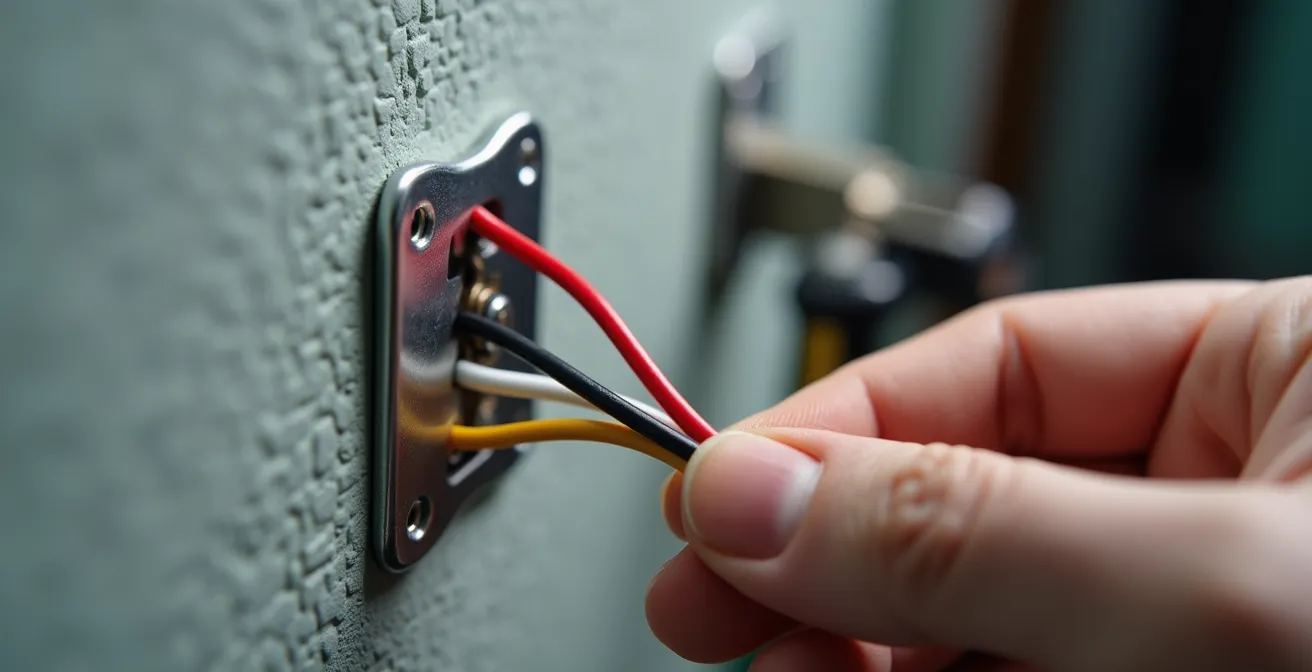
Once installed, the real optimization begins. A smart thermostat’s value isn’t just in scheduling; it’s in its ability to use geofencing to detect when you leave and enter an “Away” mode, or to integrate with utility programs that offer discounts for reducing usage during peak demand. This device is your primary interface for controlling a huge portion of your energy bill, and installing it yourself is a rewarding first step in taking active control of your home’s efficiency.
Your Action Plan: DIY Smart Thermostat Installation Checklist
- Power Down: Turn off your entire HVAC system at the breaker panel before starting installation. Safety is non-negotiable.
- Document Everything: Take a clear photo of your existing wire connections and label each wire according to the terminal letters (R, G, W, C, etc.) before disconnecting anything.
- Verify Compatibility: Use the thermostat manufacturer’s online tool to check for C-wire compatibility before you purchase the device.
- Mount and Connect: Install the new wall plate, ensuring it is level. Connect your labeled wires to the corresponding terminals on the new thermostat.
- Configure and Connect: Follow the thermostat’s on-screen setup instructions to connect it to your Wi-Fi network and configure your initial heating and cooling settings.
Google Home or Amazon Alexa: Which Is Better for Energy Management?
Once your thermostat is installed, you need a central command system—an operating system for your home ecosystem. For most people, this choice comes down to two giants: Google Home (now Google Assistant) and Amazon Alexa. While both are excellent for general smart home control, they have distinct strengths and weaknesses when it comes to sophisticated energy management. The best choice depends on your technical comfort level and your desire for a deeply integrated system versus broad compatibility.
Google Assistant, with its deep integration with Nest thermostats, offers a seamless, “it just works” experience for heating and cooling. The data and reporting available through the Google Home and Nest apps are often more detailed, providing clear insights into your energy consumption. It’s a walled garden, but a very well-maintained one. Amazon Alexa, on the other hand, excels in flexibility. Its “Routines” are generally more powerful and allow for more complex automation rules that can link a wider variety of third-party devices from different brands. If you plan to mix and match many different gadgets, Alexa often provides the more robust connective tissue.
A key factor is the emerging Matter protocol, designed to make all smart home devices work together regardless of the manufacturer. As the TechRadar Editorial Team notes in their guide, “Matter compatibility, which makes smart home kit work with more smart home platforms, is still relatively rare”. Google has been more aggressive in adopting Matter, particularly with its newer Nest products, which could make it a more future-proof choice.
This table breaks down the key differences from an energy management perspective, helping you decide which ecosystem aligns best with your goals.
| Feature | Google Home | Amazon Alexa |
|---|---|---|
| Matter Protocol Support | Yes (Nest Learning Gen 4) | Limited |
| Native Thermostat Integration | Seamless with Nest | Works with multiple brands |
| Complex Automation Rules | Good with limitations | More flexible routines |
| Energy Usage Reports | Detailed via Nest | Varies by device |
The Smart Lock Vulnerability That Hackers Love to Exploit
Integrating a smart lock into your heating ecosystem is a powerful move. It provides a more reliable “presence detection” signal than smartphone-based geofencing alone. When the last person physically locks the door on their way out, the system can be 100% certain the house is empty and switch the thermostat to “Away” mode, ensuring you never heat an empty home. This direct, physical trigger is far more robust than relying on GPS, which can be inaccurate or delayed. However, this integration also introduces a new potential point of failure: security.
The vulnerability that hackers love isn’t necessarily breaking the lock’s encryption itself, but exploiting a poorly secured network to gain a foothold. If a hacker can compromise one weakly secured device on your Wi-Fi—be it a smart plug or a camera—they can potentially move laterally across your network to control your entire ecosystem, including your smart lock and heating system. This is why network-level security is paramount when building an integrated home system. Your smart home is only as secure as its weakest link.
To mitigate this risk, you must adopt an engineer’s approach to network hygiene. First, ensure your Wi-Fi router is using the latest WPA3 encryption standard. Second, a crucial but often overlooked step is to enable “device isolation” or create a separate guest network exclusively for your smart home gadgets. This firewalls them off from your main network where your computers and personal data reside. If one IoT device is compromised, the damage is contained. Finally, make it a habit to regularly check for and install firmware updates for all your connected devices, as these often contain critical security patches.
Optimizing Your Lights: Setting Scenes to Match Natural Circadian Rhythms
While smart lighting is often pitched as a convenience, its role in an energy-efficient home is more subtle and psychological. The strategy here is “circadian optimization,” which involves tuning the color temperature of your lights throughout the day to match natural sunlight. This not only improves well-being and sleep quality but can also impact your perception of thermal comfort. In the evening, using smart bulbs to create scenes with a warm, amber-hued glow (around 2700K) can make a room feel cozier and warmer than it actually is. This psychological effect can reduce the impulse to turn up the thermostat by a degree or two, generating small but consistent savings over time.

Beyond perception, smart lighting plays a direct role in the integrated ecosystem, especially when paired with other sensors. A well-designed system can use lighting as an indicator or trigger for other actions, creating a more holistic and responsive home environment. The most powerful examples show how different systems can work together to prevent energy waste.
Case Study: Integrated Window and Radiator Control
A powerful example of system integration comes from smart home provider Vesternet. In one of their automated scenarios, the system is designed to eliminate a common source of wasted heat. When a sensor detects that a window has been opened, the smart home system automatically switches off the radiators in that specific room. This prevents the furnace from trying to heat a room that is being actively cooled by outside air. The system is intelligent enough to manage this process to maintain overall comfort while providing a crucial fallback that saves significant energy and cost.
Automating Passive Solar Gain with Smart Blinds
One of the most overlooked elements in a home energy ecosystem is the window. Windows are a massive source of heat loss in the winter and heat gain in the summer. Manually opening and closing blinds or curtains to manage this is inefficient and inconsistent. This is where smart blinds and shades provide a tremendous, automated advantage, acting as a dynamic thermal barrier for your home. They are a core component of mastering passive solar gain.
In the winter, the strategy is simple: maximize the sun’s free heat. An automated system can be programmed to open all south-facing blinds in the morning to let in the low-angled winter sun, actively warming the home. As the sun moves, the blinds can track it. In the late afternoon, as the sun sets and the outside temperature drops, the blinds automatically close, trapping the collected heat inside and providing an extra layer of insulation against the cold night air. This simple automation reduces the load on your furnace significantly.
Conversely, in the summer, the same system works to reduce your cooling costs (the other side of the HVAC coin). The blinds will remain closed during the hottest parts of the day to block solar radiation, preventing your home from turning into a greenhouse. This proactive shading keeps the indoor temperature lower, meaning your air conditioner runs less often. By automating this process, you ensure your home is always using its windows to its best thermal advantage, a task no human can perform with such precision 24/7. It’s a perfect example of the ecosystem working silently in the background to save you money.
Off-Peak Scheduling: How to Save 30% on Your Electric Bill?
Many utility companies are shifting to Time-of-Use (TOU) or “off-peak” electricity rates, where power is significantly cheaper late at night and more expensive during peak demand hours (typically late afternoon). A truly smart home ecosystem is designed to exploit this pricing structure for maximum savings. This goes far beyond your heating system and involves shifting the operation of all high-draw appliances to these cheaper, off-peak hours.
Your smart thermostat can “pre-heat” or “pre-cool” your home during these cheaper periods, so the HVAC system barely has to run when rates are at their highest. Other major energy consumers, like your electric water heater, dishwasher, washing machine, and especially an electric vehicle (EV) charger, can all be scheduled to run exclusively in the middle of the night. A smart home hub like Alexa or Google Home can manage these schedules centrally, ensuring these devices don’t all turn on at once and that their operation is confined to the lowest-cost window.
The savings from this strategy can be immense, especially when combined with high-efficiency hardware. For instance, an analysis shows that switching to a high-efficiency boiler or furnace can reduce fuel consumption by up to 30% on its own. When you pair that efficiency with intelligent scheduling, the savings compound. A compelling case study from Genius Hub on a commercial property demonstrated the power of this approach. Over a 10-week trial, they found an average energy saving of 64% compared to the same system without smart controls. While a home won’t see identical results, it proves the massive potential of intelligent, off-peak scheduling.
Key Takeaways
- Think Ecosystem, Not Gadgets: True savings come from integrating devices that work together, not from isolated smart plugs or thermostats.
- Hunt for Waste First: Before optimizing, eliminate the baseline waste from phantom power loads to maximize the impact of every other improvement.
- Leverage Data for Prevention: The ultimate smart home doesn’t just react; it uses sensor data to predict and prevent costly equipment failures before they happen.
How to Prevent Equipment Failure Using IoT Sensors?
The final evolution of a smart home energy ecosystem moves from efficiency to resiliency. The ultimate cost-saving is not just reducing your monthly bill, but avoiding a catastrophic, multi-thousand-dollar HVAC system failure. This is achieved through predictive maintenance, powered by a network of small, inexpensive Internet of Things (IoT) sensors. These sensors act as the nervous system of your home, monitoring the vital signs of your equipment and warning you of trouble long before it becomes a crisis.
Many smart thermostats have diagnostic features that monitor your HVAC system’s performance. They can alert you to potential issues before they become serious problems.
– Scott Brothers Heating & Air, Smart Thermostat Money Saving Guide
While your thermostat can provide high-level diagnostics, dedicated IoT sensors provide granular, component-level data. A vibration sensor attached to a pump motor can detect a change in its pattern that indicates a bearing is failing. A pressure sensor can spot a slow leak in the system. A temperature sensor on a critical component can alert you to overheating. These are subtle signs a technician might look for during an annual inspection, but your smart home can monitor them continuously.
By setting up alerts for when these sensors detect readings outside of normal parameters, you can get a notification on your phone that says, “Unusual vibration detected in air handler motor,” prompting a service call to fix a minor issue before it destroys the entire unit. This transforms maintenance from a reactive, expensive emergency into a proactive, manageable task. This table, based on information from industry experts, outlines some of the key sensor types and their role in predictive maintenance.
This approach represents the pinnacle of a smart energy ecosystem, where data is used not just to save a few dollars, but to protect the most expensive and critical systems in your home.
| Sensor Type | What It Monitors | Early Warning Signs | Typical Cost |
|---|---|---|---|
| Vibration Sensor | Pump/motor operation | Unusual vibration patterns | $30-50 |
| Pressure Sensor | System water pressure | Pressure drops or spikes | $40-60 |
| Temperature Sensor | Component heat levels | Overheating components | $20-30 |
| Flow Sensor | Water/air circulation | Reduced flow rates | $50-80 |
By adopting this engineering mindset—seeing your home as an integrated system, hunting for waste, and using data for prevention—you can achieve savings far beyond what a few disconnected gadgets could ever offer. The next logical step is to begin your own home energy audit. Start simple: walk through your home and identify every device that stays plugged in and on standby. This is the first and most crucial step in building your own high-efficiency home ecosystem.